CargaLive

CargaLive

Where to charge your electric car. And whether it works.

Every charge point in Spain on a map, with its power, its connectors, who runs it and the status other drivers report. No sign-up.

It works in the browser and installs as an app. The Android and iPhone versions take CargaLive onto the car's screen with Android Auto and CarPlay.
  • Web and PWA
  • Android · Android Auto
  • iPhone · CarPlay
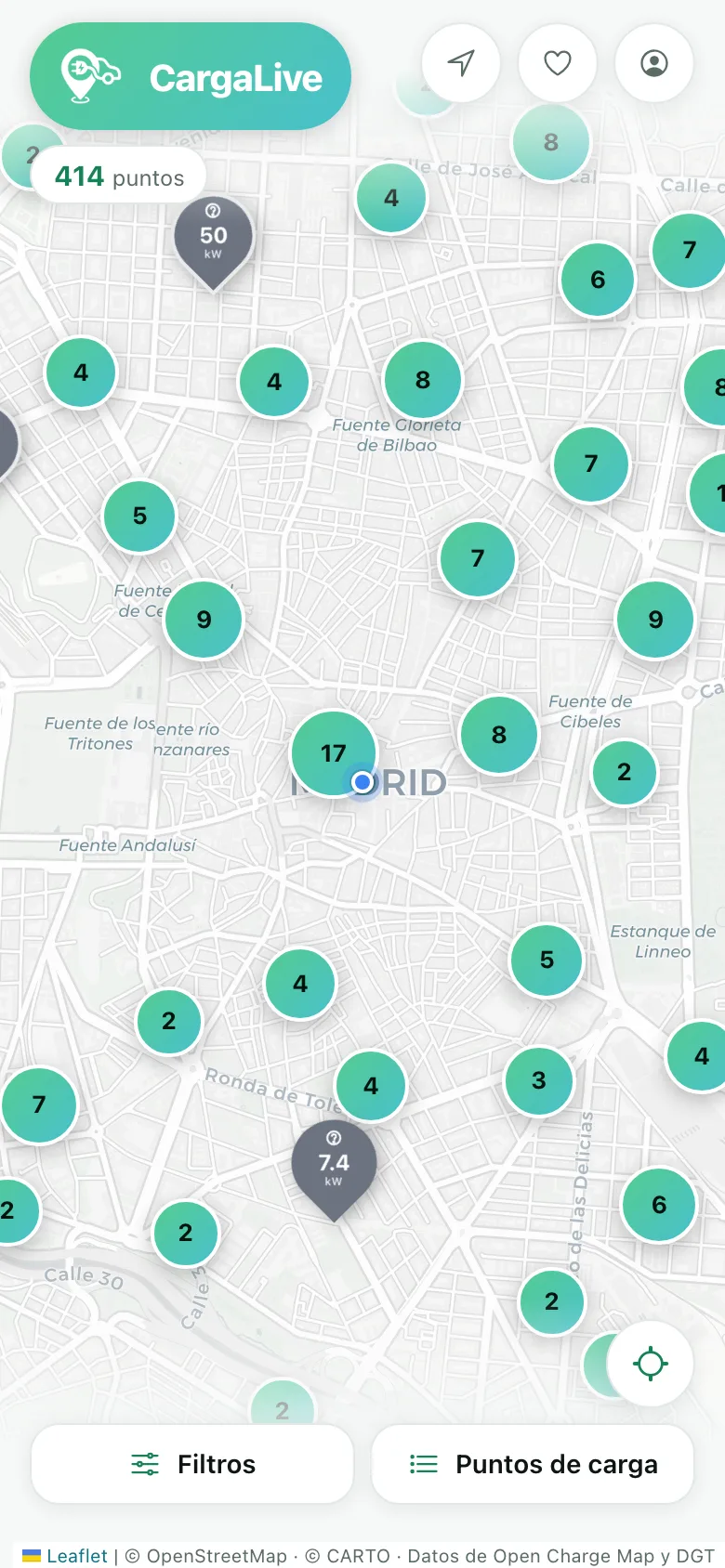
The CargaLive map with the charge points of Madrid, each with its power in kW
What you see when you open it

What you need before taking a detour, on the first screen

Every point shows its real power and its connectors before you tap. And every piece of data says when it was checked.

The map, at a glance

The chargers near you, sorted by distance. Power, connectors and operator without opening anything.

Filters that apply themselves

Connector, minimum power, network or opening hours. Save your car and every search shows only where you can plug in.

Real status, not assumed

Whoever is standing at the charger reports it: it works, it's busy, it's broken. Everyone else sees it right away.

Chargers

Search, compare and keep the ones that suit you

Over 20,000 charge points in Spain, each with its real operator and full details. Also by province and municipality, without opening the app.
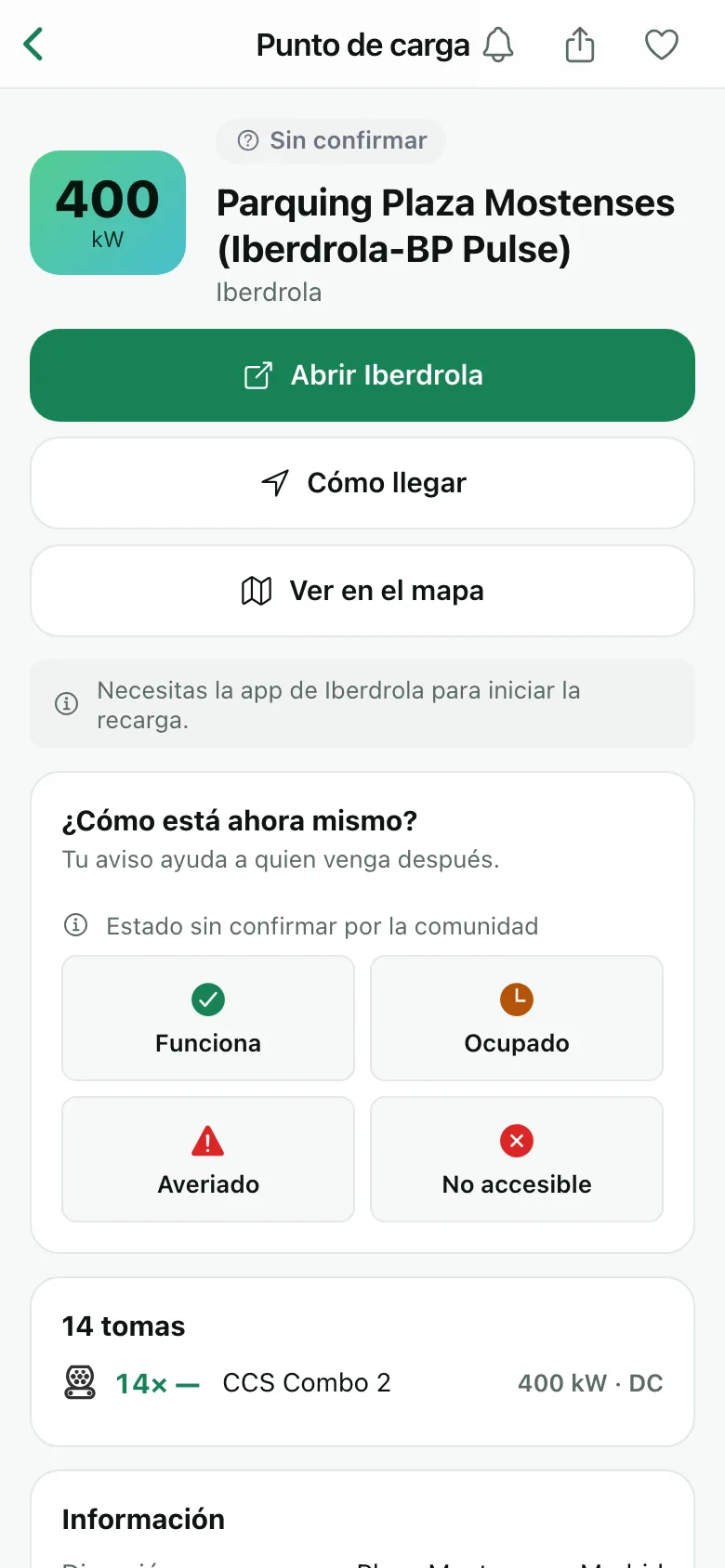
  • Power and connectors of every socket, and the price when the operator publishes it.
  • Your cars, your filters. Save each car with its nickname and its connectors (CCS, Type 2, CHAdeMO…). Switch cars and the map, the list and the routes adjust.
  • Reliability over the last 30 days, worked out from what the community has reported at that point.
  • Favourites and alerts. Mark the chargers you trust and find out if they start failing, or when one that was broken gets fixed.
  • Works without signal. It keeps the last thing you saw, always saying how old it is.
The details of a charge point in CargaLive: connectors, power, status and a button to navigate to it
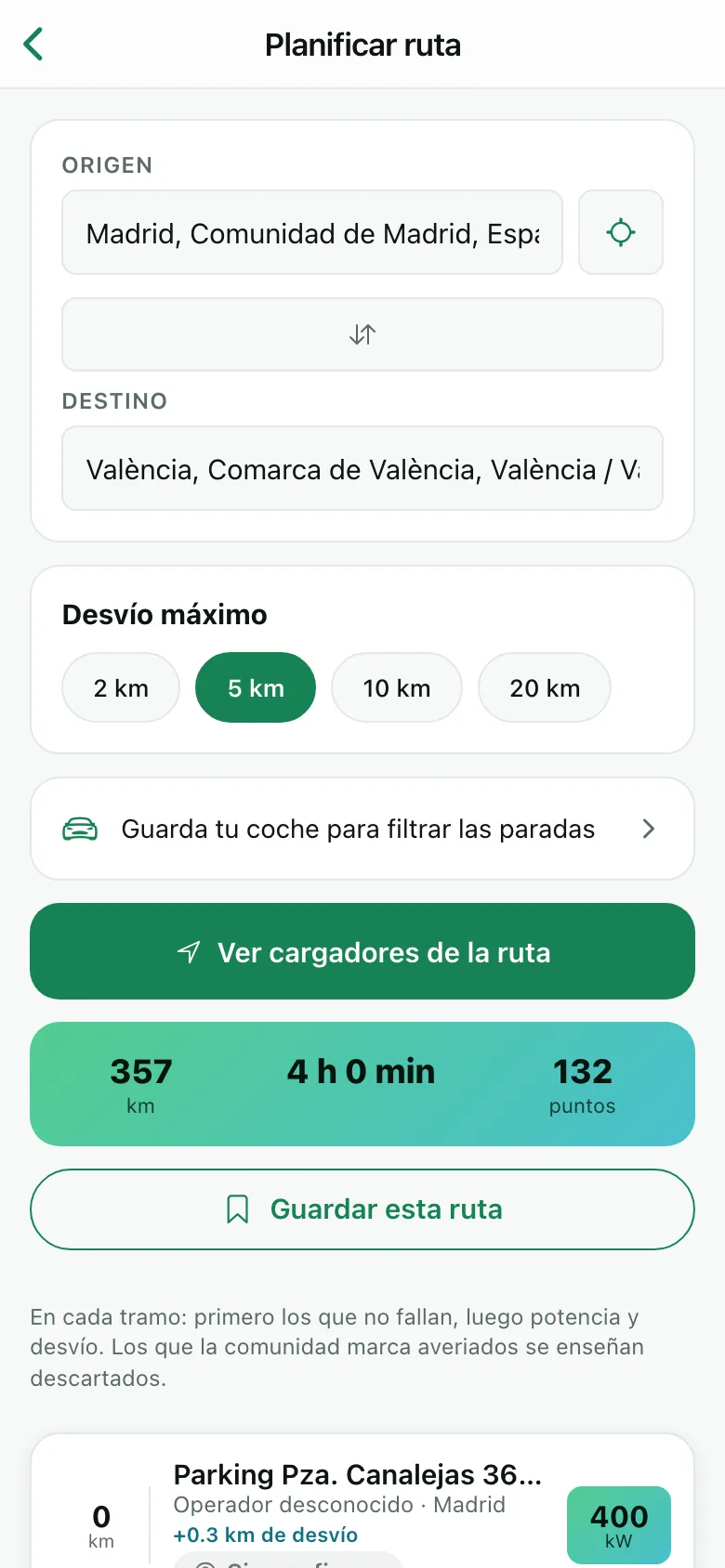
A route from Madrid to Valencia in CargaLive, with the chargers along the way and the detour for each one
Routes

Long trips without surprises

Tell us where you are going from and to, and we show you the chargers along the way, with the detour each one means.

  • Only stops where you can plug in if you have a car saved.
  • Every stop explains why it is suggested: power, detour and reliability, in that order. No opaque scores.
  • The ones left out are shown too, and with the reason. A charger the community reports as broken doesn't vanish: it is set aside and you are told why.
  • Save your routes to repeat them without searching again.
Android Auto and CarPlay

On the car's screen, without touching your phone

Right where you are when the problem comes up. CargaLive is on Android Auto and CarPlay with the same data as on your phone.
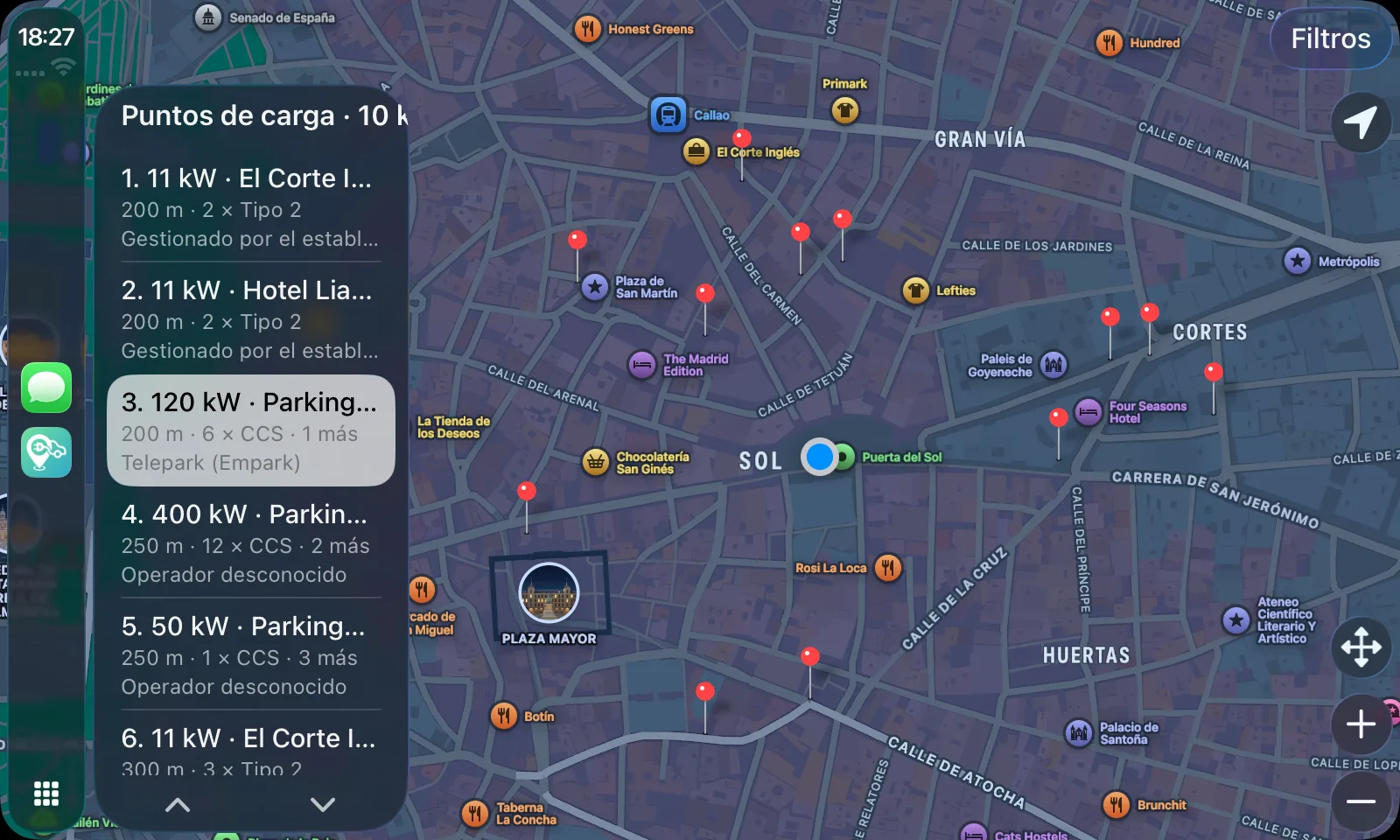
CargaLive on CarPlay: the map of central Madrid with the chargers marked and, on the left, the list sorted by distance with the power, connectors and operator of each one
CargaLive on CarPlay, with real data from Madrid. On Android Auto it is the same, with the list beside the map.

The same on both platforms

  • Map and list at the same time, with the nearby chargers sorted by distance.
  • Power comes first, and below it the connectors and how many sockets there are: that is what decides whether the stop is worth it.
  • Filters by your car if you have one active in the app, already switched on. One tap turns it off, because in a pinch a charger with an adapter beats being stranded.
  • Radius and power: 5, 10 or 25 km; any, 50 kW and up, or 150 kW and up.
  • One tap opens the details with the big map and the “Navigate” button, which starts the car's navigation.

What it can't tell you, it doesn't make up

  • Green is reserved for what the community has checked. A charger nobody knows anything about is not painted as available.
  • Broken chargers are not hidden. They carry a warning and a red pin: someone was there and reported it, which is exactly what you want to know before taking a detour.
  • The car's real location, not the last one your phone saved.
  • On CarPlay you can drag the map to look for chargers somewhere else and get back to your position with one tap.
  • Spanish, Catalan and English, in the language you chose in the app.

Android Auto and CarPlay come inside the Android and iPhone apps. Your car, your filters and your language are shared with your phone.

Data

Information that doesn't mislead

We tell you when each piece of data was checked instead of faking a certainty we don't have.

  • Open and official sources. The points come from Open Charge Map, an open, collaborative database, and from the DGT's charge point register, which adds more chargers and the real operator of each one.
  • The community sets the status. Anyone can report from the charger's page, and the report expires on its own: something from days ago is not shown as if it were current.
  • A charger being operational doesn't mean it's free. CargaLive tells apart what the operator says from what someone standing at the charger has seen, and shows it that way.
  • We don't handle charging sessions or payments. When you get there, we take you to the operator's app.

Every status, with its own colour and shape, so it can be read in a hurry too:

  • Working, according to the community
  • Busy
  • Broken
  • Unconfirmed

Free, for real. Searching, filtering, viewing details and navigating to a charger costs nothing and needs no account. The account is for saving favourites, cars, alerts and routes. For daily users there's CargaLive Premium: no limits and no ads.

Open the map and see what's nearby

No sign-up and nothing to download. If you like it, install it from your browser.